
Birthdays Reminder3.2 - Google Play
You'll be able to see results in few seconds.
Publisher Description
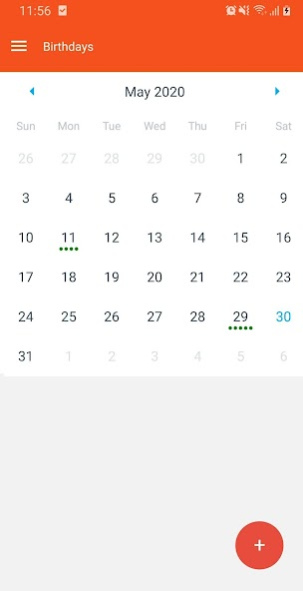
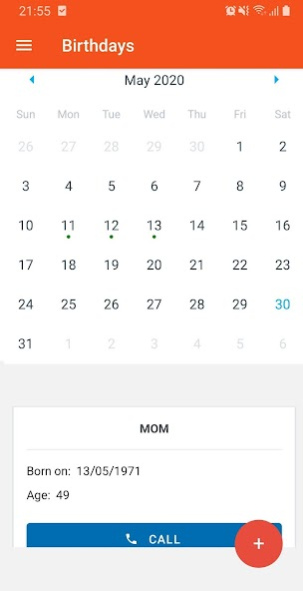

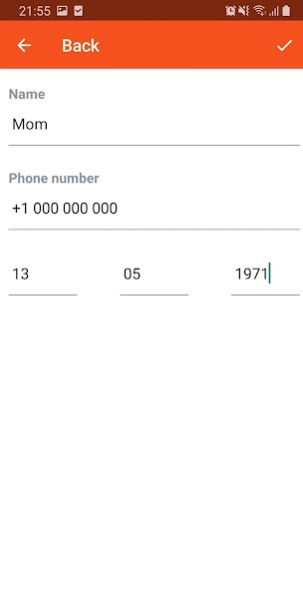
Most reliable birthdays alarm app on the market!
Be the one who remebers all birthdays!
Download Birthdays Reminder now and get notified when your friends have birthdays.
Congratulate your friend immediately after getting the birthday alarm notification by calling them directly.
You will get access to a birthdays calendar, listing all the birthdays that you entered in the app and see all the details for every birthday!
With Birthdays Calendar you will be able to see all upcoming birthdays and prepare yourself for the big day.
**Notificiations/Alarms**
- The notification consists of your friend's name, telling you that he has a birthday and also a quick button to call him directly on the phone. Nice ah!
- Notifications/Alarms are controlled by you. You can always choose to turn on/off your birthdays alarms. If you disable and then enable your notifications, all notifications will be initialized again for all your birthdays!
**Birthday Cards**
Birthdays Reminder app now gives you the ability to send beautiful birthday cards to congratulate your friends.
**Privacy**
Your data is perfectly protected, as it is stored directly on your device. Your data IS NOT automatically shared to other people!
*Quality*
We really do care about you getting the best experience from Birthdays Reminder, so we implemented a feature for you to be able to Report Bugs and Request Features.
This will help you and us to provide you with best experience which you deserve!
About Birthdays Reminder
The company that develops Birthdays Reminder is Viktor Rumenov. The latest version released by its developer is 3.2.
To install Birthdays Reminder on your Android device, just click the green Continue To App button above to start the installation process. The app is listed on our website since 2020-11-24 and was downloaded 0 times. We have already checked if the download link is safe, however for your own protection we recommend that you scan the downloaded app with your antivirus. Your antivirus may detect the Birthdays Reminder as malware as malware if the download link to com.birthdayreminder.org is broken.
How to install Birthdays Reminder on your Android device:
- Click on the Continue To App button on our website. This will redirect you to Google Play.
- Once the Birthdays Reminder is shown in the Google Play listing of your Android device, you can start its download and installation. Tap on the Install button located below the search bar and to the right of the app icon.
- A pop-up window with the permissions required by Birthdays Reminder will be shown. Click on Accept to continue the process.
- Birthdays Reminder will be downloaded onto your device, displaying a progress. Once the download completes, the installation will start and you'll get a notification after the installation is finished.
Program Details
System requirements
Download information
Pricing
Version History
version 3.2
posted on 2020-11-24
Added option to contact support via email.
Added option to rate Birthday Reminder from the app itself
version 3.2
posted on 2020-11-24
Added option to contact support via email.
Added option to rate Birthday Reminder from the app itself
version 3.1
posted on 2020-10-20
Fixed minor issues
UI enhancements
Improvements in performance
version 3.0
posted on 2020-09-17
With this release, you can now send birthday cards to your friends and family to congratulate them for their special day!
version 2.0
posted on 2020-08-21
Fixed bug with birthday notifications
Disclaimer
Official Google Play Link
We do not host Birthdays Reminder on our servers. We did not scan it for viruses, adware, spyware or other type of malware. This app is hosted by Google and passed their terms and conditions to be listed there. We recommend caution when installing it.
The Google Play link for Birthdays Reminder is provided to you by apps112.com without any warranties, representations or guarantees of any kind, so access it at your own risk.
If you have questions regarding this particular app contact the publisher directly. For questions about the functionalities of apps112.com contact us.
